1.depth image 회득
def get_depth_img(self):

	  # Request DepthPerspective image as uncompressed float
	  response = self.client.simGetImages([airsim.ImageRequest("high_res",
														airsim.ImageType.DepthPerspective, True, False)])[0]

	  # Reshape to a 2d array with correct width and height
	  depth_img_in_meters = airsim.list_to_2d_float_array(response.image_data_float,
																									response.width, response.height)
	  depth_img_in_meters = depth_img_in_meters.reshape(response.height, response.width, 1)


		# Convert depth_img to millimeters to fill out 16bit unsigned int space (0..65535).
		#Also clamp large values (e.g. SkyDome) to 65535
	  depth_img_in_millimeters = depth_img_in_meters * 1000
	  depth_16bit = np.clip(depth_img_in_millimeters, 0, 65535)

	 cv2.imwrite("depth_16bit.png", depth_16bit.astype('uint16'))

거리가 멀어질수록 색이 옅어지게된다
2.Shallow Depth Image
일정 거리 이상은 그냥 없애버리는것으로 참고 논문에서 학습의 효율을 높이기 위해 쓴다함 (자세한건 논문 참고)
# depth의 max,min을 설정
MIN_DEPTH_METERS =0
MAX_DEPTH_METERS = 5

# Request DepthPerspective image as uncompressed float
response = self.client.simGetImages([airsim.ImageRequest("high_res",
												airsim.ImageType.DepthPerspective, True, False)])[0]

# Reshape to a 2d array with correct width and height
depth_img_in_meters = airsim.list_to_2d_float_array(response.image_data_float,
																									response.width, response.height)
depth_img_in_meters = depth_img_in_meters.reshape(response.height, response.width, 1)

# Lerp 0..100m to 0..255 gray values
depth_8bit_lerped = np.interp(depth_img_in_meters, (MIN_DEPTH_METERS, MAX_DEPTH_METERS), (0, 255))
cv2.imwrite("depth_visualization.png", depth_8bit_lerped.astype('uint8'))
cv2.imshow("shallow_depth",depth_8bit_lerped.astype('uint8'))
cv2.waitKey(1)
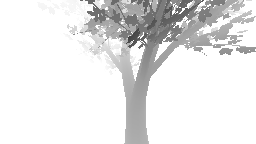
depth이미지와 똑같은 지점에서 찍은 이미지로 뒤에 나무들은 나오지 않는다.
'Airsim > Vision기반 충돌 회피(1)' 카테고리의 다른 글
| [충돌회피-1]프로젝트 시작 및 참고 논문 (0) | 2023.07.30 |
|---|---|
| [ 충돌회피-2] 드론 리스폰&충돌감지&Unit Vector (0) | 2023.07.30 |